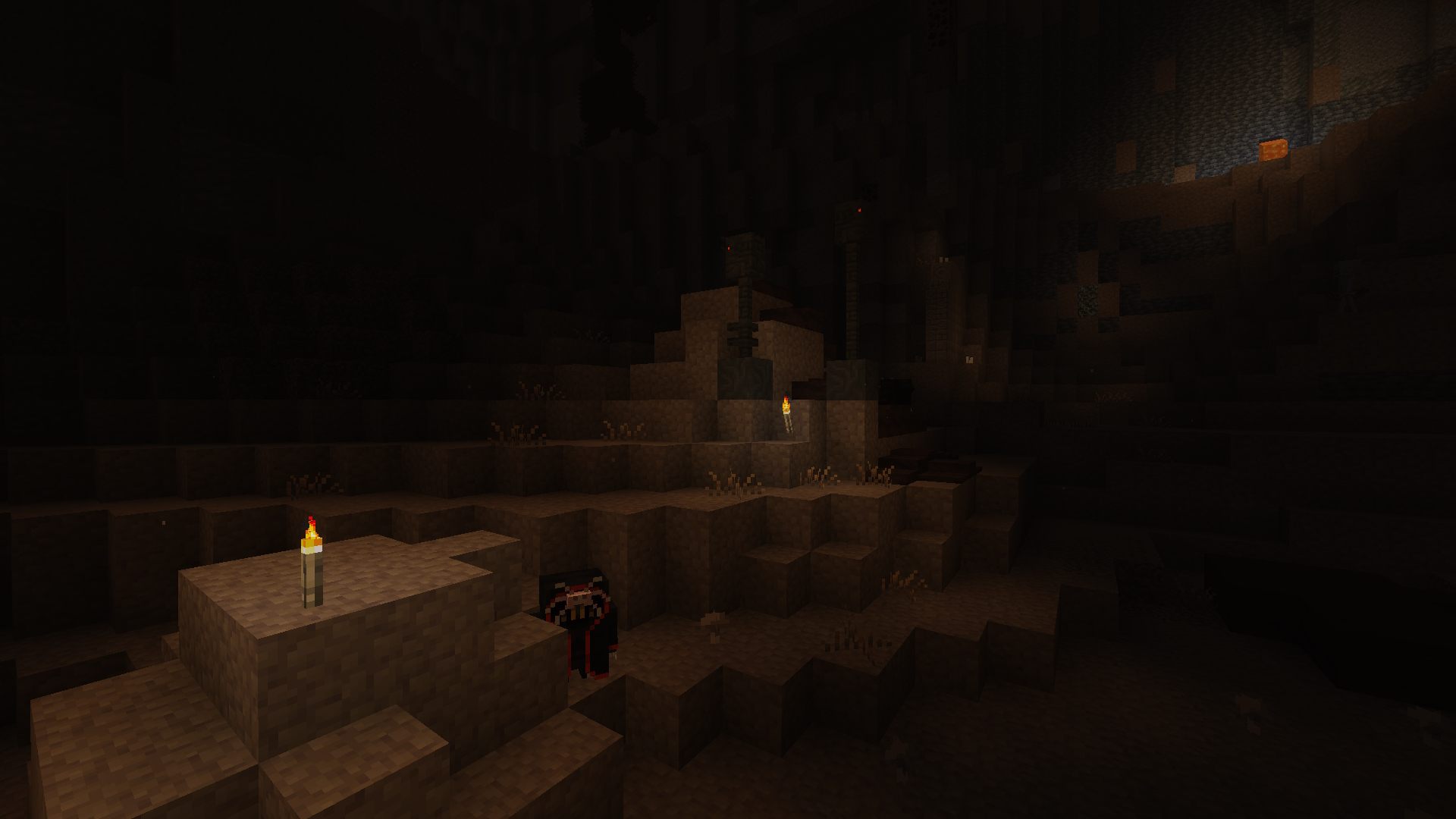
Forlorn Hollows in the original Java Edition mod. Screenshot: official Alex's Caves gallery, Alexthe668 and Noonyeyz.
This Alex Caves mod wiki overview introduces the six themed cave biomes. Each biome has its own blocks, creatures, items and atmosphere, such as custom fog, particles and lighting. For complete item-by-item detail, the mod's in-game Cave Compendium and its official wiki are the best references.
Magnetic Caves
A metallic, magnet-themed biome built around attraction and repulsion. Expect unusual metal blocks, magnetic mechanics and machine-like creatures. It is a great biome for players who enjoy technical gameplay and experimenting with new mechanics.
Primordial Caves
A prehistoric world hidden underground, filled with ancient plants, warm volcanic features and dinosaur-like creatures. It feels like stepping back in time and offers some of the most memorable encounters in the mod.
Toxic Caves
A hazardous biome themed around radiation and acid. Glowing green environments, dangerous pools and radioactive materials make careful preparation important before you explore.
Abyssal Chasm
A deep, flooded cavern inspired by the deep sea. Bioluminescent life lights up the darkness, and the water pressure and depth make exploration feel very different from other caves.
Forlorn Hollows
A dark, eerie biome with a gloomy mood. Low light and unsettling creatures make it the most atmospheric and tense of the caves.
Candy Cavity
A colourful, sweets-themed biome added in a later update of the mod. Candy-like blocks and playful creatures make it a bright contrast to the darker biomes. Older descriptions of the mod mention five biomes because they were written before Candy Cavity arrived.
How progression works
The biomes are rare by design. You usually start by finding an Underground Cabin, which can contain cave tablets and the Cave Compendium guide book. Read our guide on how to find the biomes for the full path.
The mod's creators recommend playing without shaders at first, because shaders can change the custom look of several biomes.
Use this overview as an expedition planner
The six cave themes make more sense when you treat them as separate destinations rather than interchangeable sources of blocks. Before a trip, decide whether you are scouting, collecting building materials or investigating progression. A short scouting visit needs space for notes and a clear escape route; a collection trip needs tools, storage and a way to return with supplies. Read the information available in your installed version before assuming that a screenshot explains every hazard. The in-game guide is especially useful because you can consult it while standing near the content you are trying to understand.
Approach Magnetic Caves as a place to observe mechanics
The metallic setting encourages experimentation, but your first visit is a good time to watch before interacting with unfamiliar objects. Identify a stable entrance and note where the terrain changes. Look at how the environment, creatures and blocks differ from the surrounding caves. If you want to investigate a mechanism, test it away from valuable equipment or in a separate creative world. Keep notes about which blocks you collected and which interactions you have actually confirmed. This separates firsthand observations from guesses based on appearance and helps you plan a later visit with a clearer purpose.
Scout Primordial Caves from more than one viewpoint
A broad underground landscape can conceal routes behind vegetation and changes in elevation. Pause near the entrance to identify visible landmarks and a return path before heading deeper. When you see an unfamiliar creature, observe its behavior from a comfortable distance instead of assuming it is harmless because of its appearance. Mark a meeting point if you explore with friends. A screenshot captures one angle, while the playable environment continues above, below and behind it. Moving slowly during the first visit helps you understand the layout and makes a later collection expedition much easier to organize.
Prepare a deliberate route through Toxic Caves
The name and visual theme signal a hazardous environment, so avoid treating the first visit as an ordinary mining session. Read the relevant guide entries, keep the return route visible and bring replaceable supplies while learning the area. Do not assume that every glowing surface is decorative or that a familiar looking pool behaves like ordinary water. Observe effects in a controlled test if you are uncertain, preferably outside your main survival run. Store valuable finds before taking further risks. A cautious scouting trip can reveal what preparation you actually need without turning every discovery into an attempt to retrieve lost equipment.
Think vertically in the Abyssal Chasm
A flooded underground destination changes how you judge distance and travel time. Your route needs to account for depth, visibility and the ability to return, rather than only horizontal coordinates. Check your available equipment and read the relevant in-game information before going far from a secure position. Make short journeys first and note recognizable terrain. If you explore with others, agree on a regrouping point rather than spreading out immediately. The strongest visual feature in a screenshot may be far beyond a comfortable first route, so use the image to understand the setting rather than as a promise of an easy approach.
Keep navigation simple in Forlorn Hollows
Low visibility makes it harder to recognize the path you just took, especially when several tunnels look similar. Mark junctions consistently and keep a record of your entrance coordinates. Travel with enough supplies to pause and assess your surroundings rather than moving forward because you are running out of food or tools. Listen and observe before interacting with unfamiliar creatures. If you change brightness or use a visual pack, remember that you are also changing the intended atmosphere. Try the default presentation first, then decide which accessibility or visibility adjustments you need for a comfortable session.
Explore Candy Cavity without assuming appearance means safety
A colorful environment can feel inviting, but an unfamiliar biome still deserves a careful first visit. Identify which materials you want to collect and leave room to carry them home. Read the information available for the installed release before assuming that every decorative object is harmless or every creature is friendly. Take a few examples of interesting blocks back to a safe building area and compare them in ordinary lighting. This is useful for planning a themed build because a block's appearance inside a brightly colored cave may differ from the way it looks beside your existing base materials.
Keep a practical cave journal
For each destination, record coordinates, the entry route, useful landmarks and the supplies you wish you had brought. Add notes about hazards you directly observed and discoveries you want to investigate later. Keep uncertain ideas clearly separate from confirmed behavior. In multiplayer, share a simple naming system so everyone knows which entrance or staging area you mean. A small journal prevents repeated trips for forgotten tools and makes it easier to return after several sessions away. It also lets you enjoy exploration without needing to remember every detail from a long guide or a single dramatic screenshot.
Compare visuals using the same settings
The screenshots accompanying this site are genuine gallery images of the Java mod's environments. Your own view can differ because of game settings, resource packs, shaders and the location you are standing in. Begin with the default presentation before deciding that a cave looks wrong. If you want to compare two settings, keep your viewpoint and time spent loading the area consistent. Save your own screenshots with the biome name and relevant settings in the filename or notes. This gives you a useful reference for later troubleshooting and a clearer record of the places you have explored.
Conclusion
Alex Caves Mod adds six very different cave biomes: Magnetic Caves, Primordial Caves, Toxic Caves, Abyssal Chasm, Forlorn Hollows and Candy Cavity. Treat each one as its own destination, prepare for its hazards and use the in-game Cave Compendium for full detail. Exploring without shaders at first shows each biome the way its creators intended.